Meshtastic lets you send and receive encrypted text messages over LoRa (Long Range) radio waves without relying on the internet, mobile subscriptions, or cell towers. If a blackout hits or traditional cellular networks go down in an emergency, your radio stays on the air communicating directly with other community nodes.
When starting out, it is easy to get lost among brands, processor chips (ESP32 vs nRF52), battery chemistries, cables, and antennas. This guide breaks everything down clearly with real hardware photos, hands-on installation tips, essential precautions so you don’t damage your gear, and advice on getting maximum range in Panama.
0. Meshtastic 101: Quick Start for Beginners
If you have never touched a radio before and are looking to get your first device, here is what you need to know:
How does the system work?
- Your portable radio (Node): A compact device with its own antenna and rechargeable battery.
- Your phone is the screen and keyboard: You connect to the radio via Bluetooth using the free official Meshtastic app (for Android and iOS).
- Off-Grid Radio Messaging (Mesh Network): You type a message in the app and your radio sends it over the air on 915 MHz. If your recipient is far away, other nodes active in the city receive the packet and automatically relay it in milliseconds from radio to radio (mesh hopping) until it reaches its destination.
⚠️ The 3 Golden Rules (Avoid Damaging Your Radio)
🛑 1. NEVER power on the radio without the antenna attached
The LoRa power amplifier (SX1262) must discharge its power into a 50-Ohm antenna load. If you turn on or transmit without an antenna, the radiated energy reflects right back into the chip, frying the output stage within seconds. Always screw the antenna in tightly before plugging in a battery or USB-C cable.
🛑 2. Double-check battery polarity (Red & Black Wires)
LiPo batteries with white JST plugs purchased on Amazon or AliExpress do not have a universal pinout. If you plug in a battery with reversed polarity (positive to negative), the charging IC on the board blows out instantly. Always check the BAT+ and BAT- markings on the PCB before connecting.
🛑 3. ALWAYS purchase the 915 MHz frequency (US915)
You will find radios in 433 MHz, 868 MHz (Europe), and 915 MHz (Panama and the Americas). If you accidentally buy 868 MHz, you won't be able to communicate with anyone in Panama and the antennas will be tuned for the wrong band.
How to get started in 4 steps (5 minutes)
- Screw in the antenna tightly to the gold SMA connector on your device.
- Turn on the radio by plugging in a USB-C cable or connecting its battery.
- Connect to your phone: Open the Meshtastic app, search for Bluetooth devices, and tap your node (PIN is usually
123456or appears on the radio’s screen). - Set the region: In the app, go to Settings ➔ Radio Config ➔ LoRa, select region
US(915 MHz), and make sure the channel is set toLongFast. That’s it—you’re connected to the community network!
[!TIP] Want to update the firmware? It’s effortless:
You don’t need any programming skills. Plug the radio via USB to your computer, open Google Chrome or Edge, and visit flasher.meshtastic.org. In just two clicks, the web flasher installs the latest version.
1. Node Form Factors
Meshtastic hardware generally falls into three categories:
┌─────────────────────────────────────────────────────────────────┐
│                  MESHTASTIC NODE FORM FACTORS                   │
├───────────────────┬─────────────────────┬───────────────────────┤
│ 1. All-in-One     │ 2. Modular Kits     │ 3. DIY Bare Boards    │
│    (Ready to Use) │    (Easy to Expand) │    (Build Your Own)   │
├───────────────────┼─────────────────────┼───────────────────────┤
│ • Sealed casing   │ • Baseboard + core  │ • Exposed circuit     │
│ • Internal battery│ • Snap-on sensors   │ • Needs 3D case       │
│ • Antenna included│ • No soldering      │ • Very affordable     │
│ • Ready to go     │ • Great for solar   │ • Total customization │
└───────────────────┴─────────────────────┴───────────────────────┘
- Commercial “All-in-One” (Turnkey / Plug & Play): Factory-finished units with weatherproof cases (IP65/IP67), internal battery, antenna, and pre-flashed firmware. Perfect for everyday carry (EDC) or tossing in your backpack without any assembly.
- Modular Kits (Example: RAK WisBlock): Feature a baseboard where you screw in the processor core, GPS, or sensors with tiny screws—no soldering required. The top choice for rooftop solar repeaters.
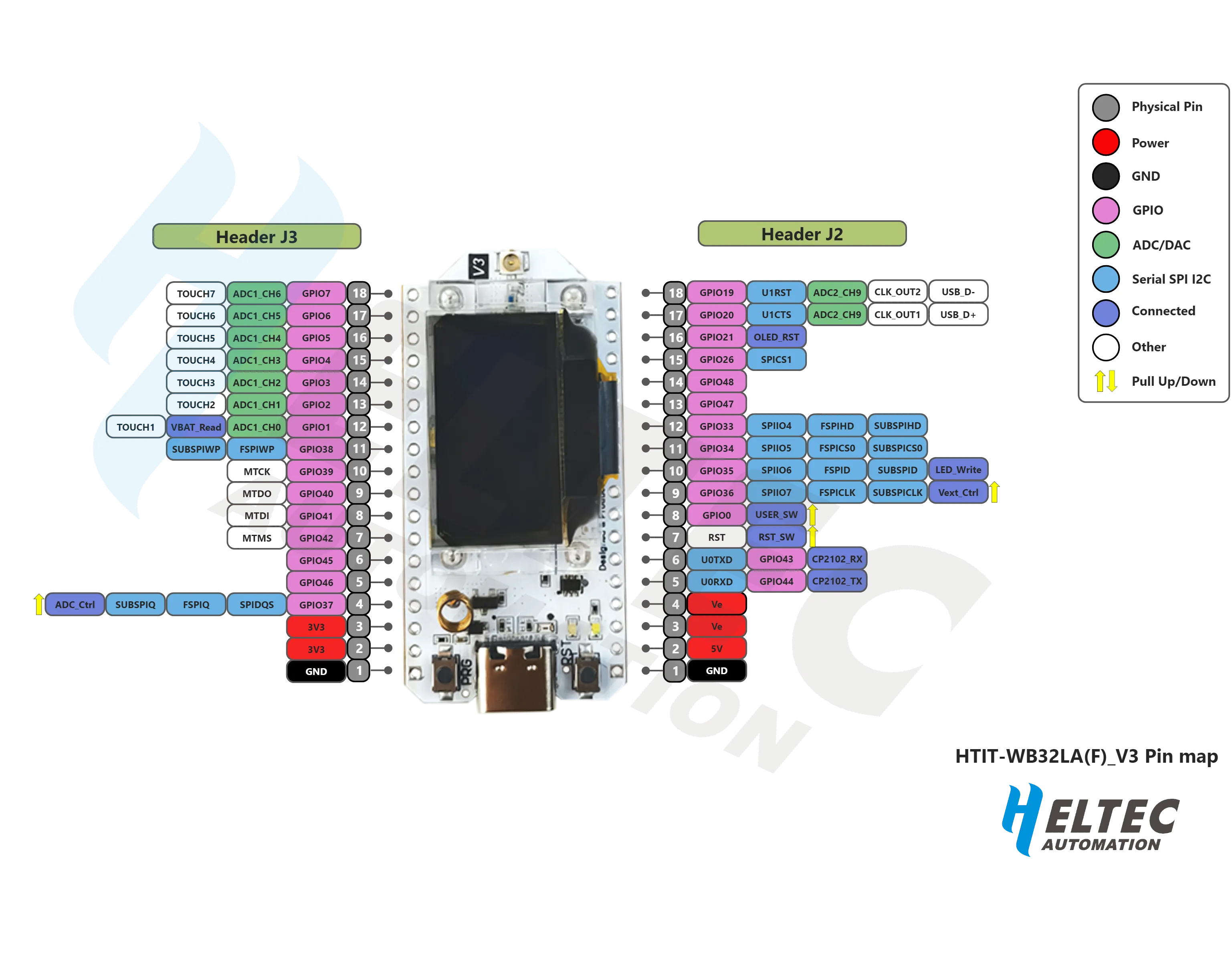
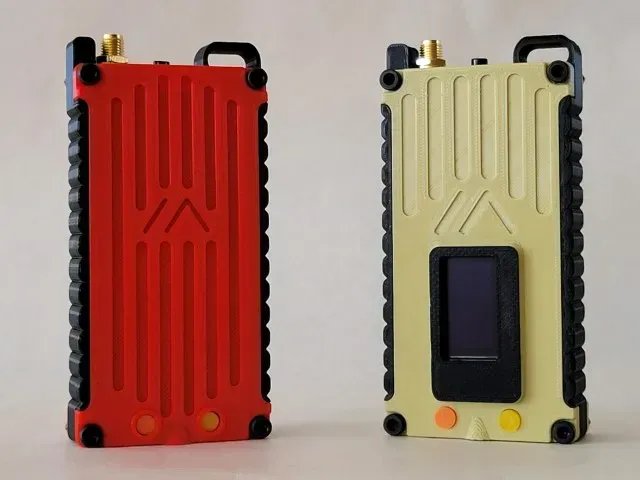
- DIY Bare Boards (Example: Heltec V3): Exposed electronic circuit boards. Very low-cost and popular, but you’ll need to 3D-print or buy a case and connect your own battery.
2. Most Popular & Recommended Models
Here is a side-by-side comparison of the most battle-tested devices in the community:
| Brand & Model | Processor (MCU) | Connectivity | Screen & Input | Package Type |
|---|---|---|---|---|
| Heltec V3 / V4 | ESP32-S3 | Bluetooth + Wi-Fi | Small OLED screen / No keyboard | Low-cost bare board |
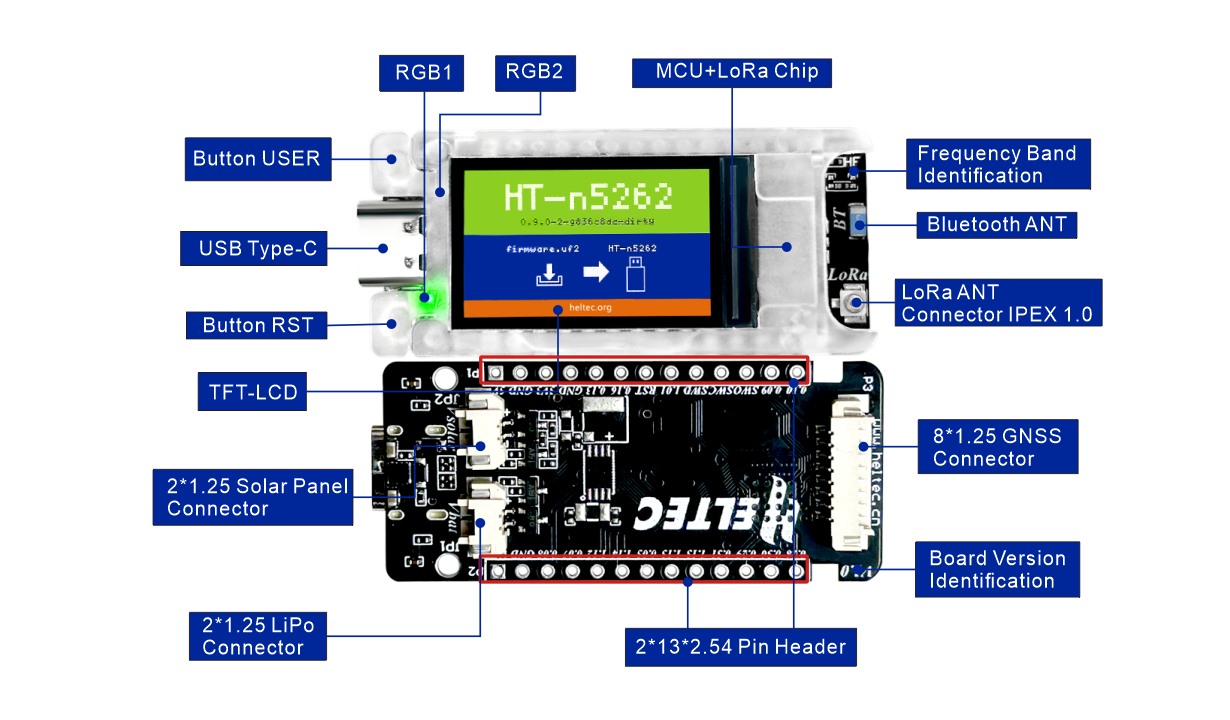
| Heltec T114 | nRF52840 | Bluetooth Only | Optional color screen | Bare board or case kit |
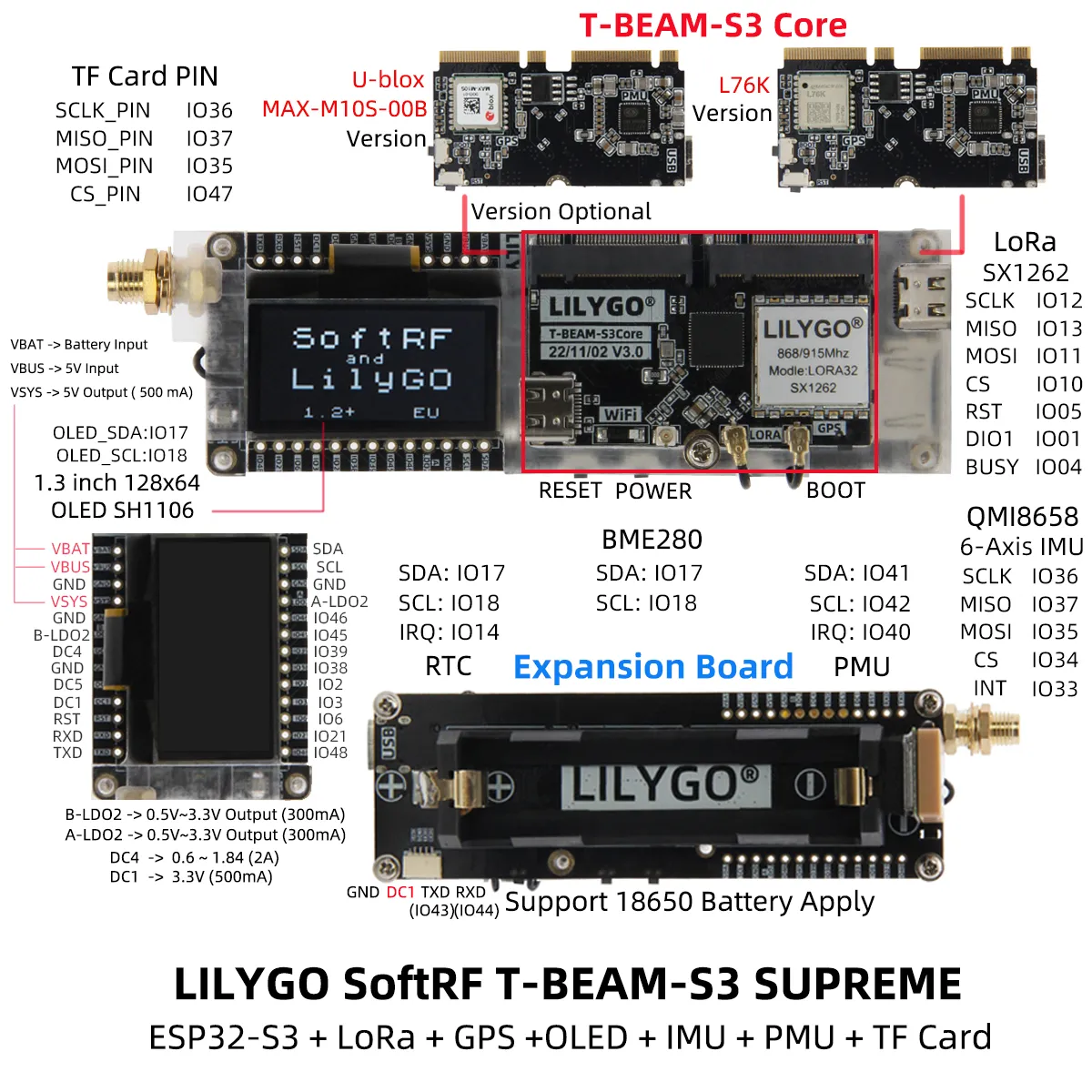
| LilyGO T-Beam | ESP32-S3 | Bluetooth + Wi-Fi | Optional screen / High-gain GPS | Board with 18650 battery sled |
| LilyGO T-Echo | nRF52840 | Bluetooth Only | E-Ink screen + Built-in GPS | Complete all-in-one with case |
| LilyGO T-Deck Plus | ESP32-S3 | Bluetooth + Wi-Fi | Color screen + Physical keyboard | Standalone BlackBerry style |
| RAK WisBlock Kit | nRF52840 (RAK4631) | Bluetooth Only | No screen / Ultra-low power | Modular kit (solar king) |
| Seeed SenseCAP T1000-E | nRF52840 | Bluetooth Only | Screenless (Credit card IP65) | Ultra-slim pocket carry |
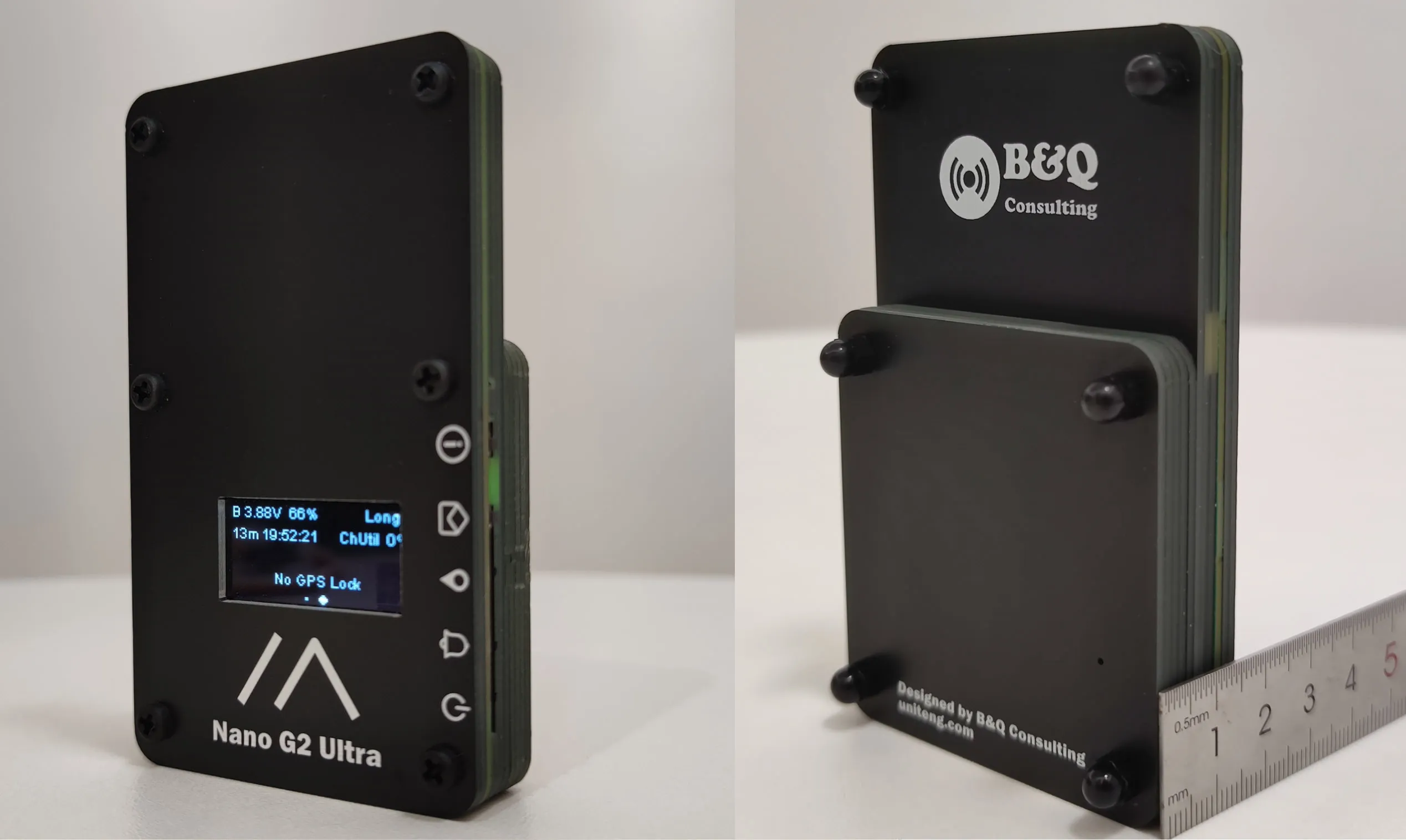
| Station G2 / Nano G2 | ESP32 or nRF52 | Bluetooth / Wi-Fi | OLED screen + Aluminum chassis | Heavy-duty tactical metal case |
Detailed Hardware Breakdown & Amazon USA Links
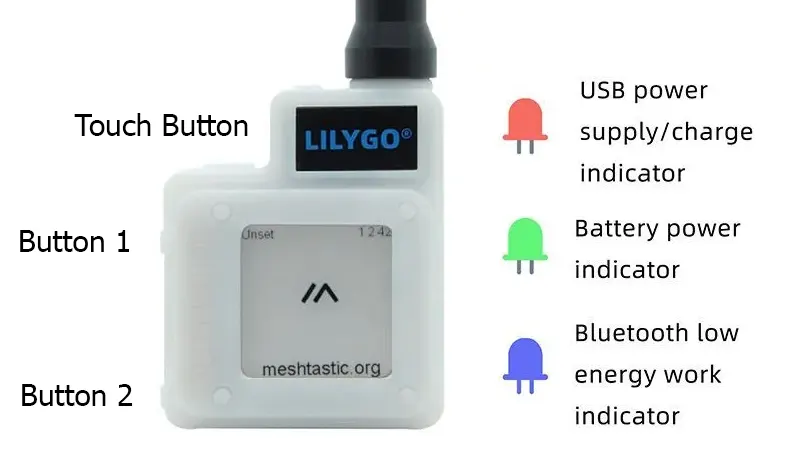
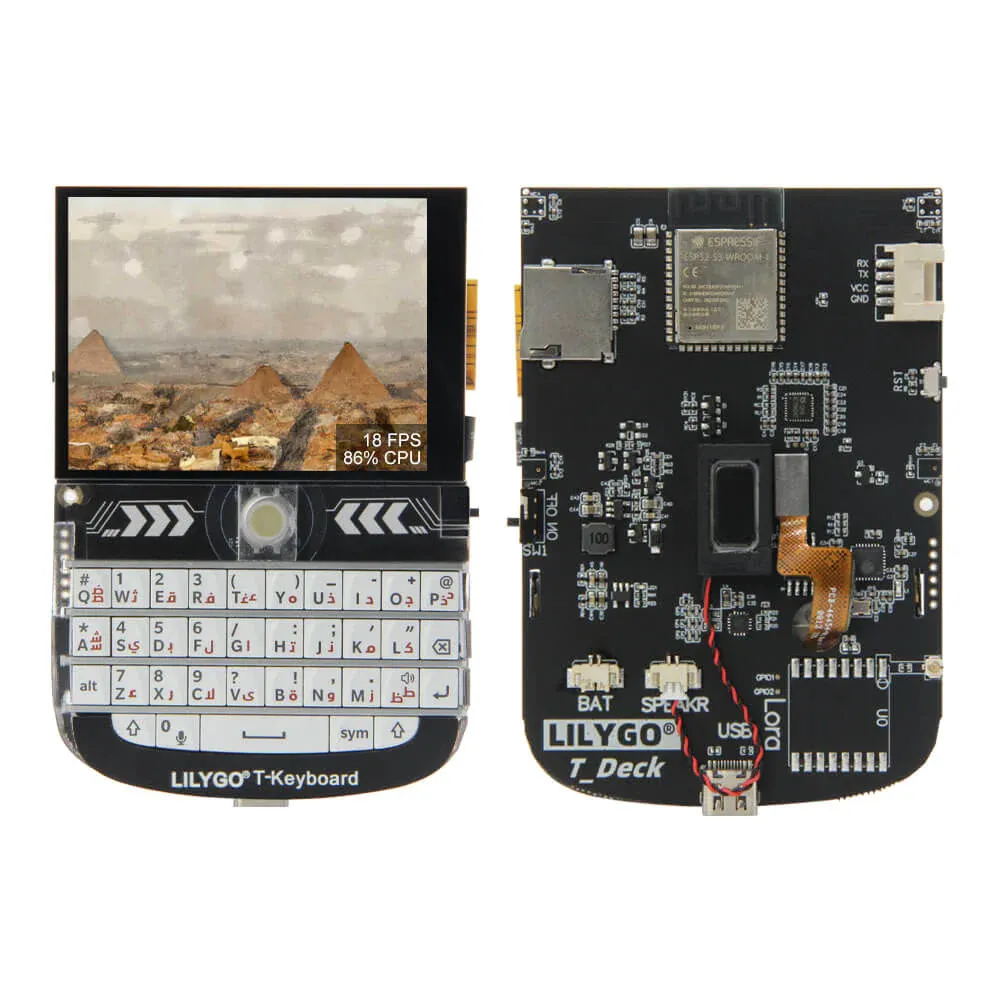
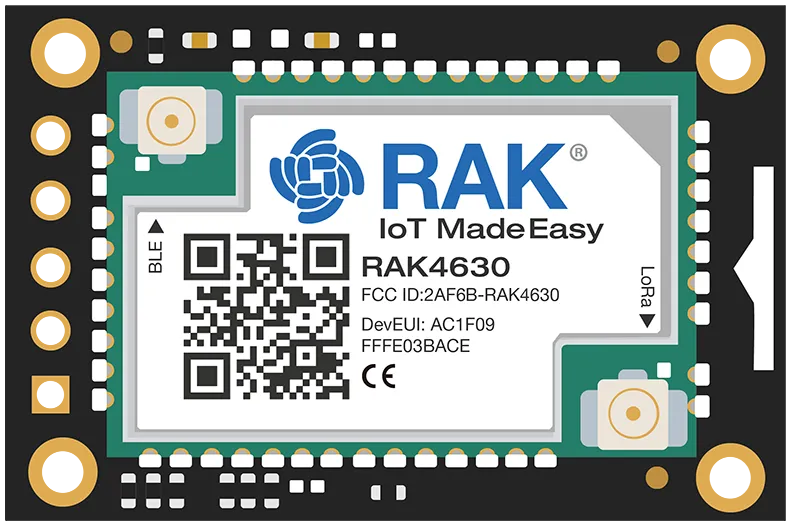
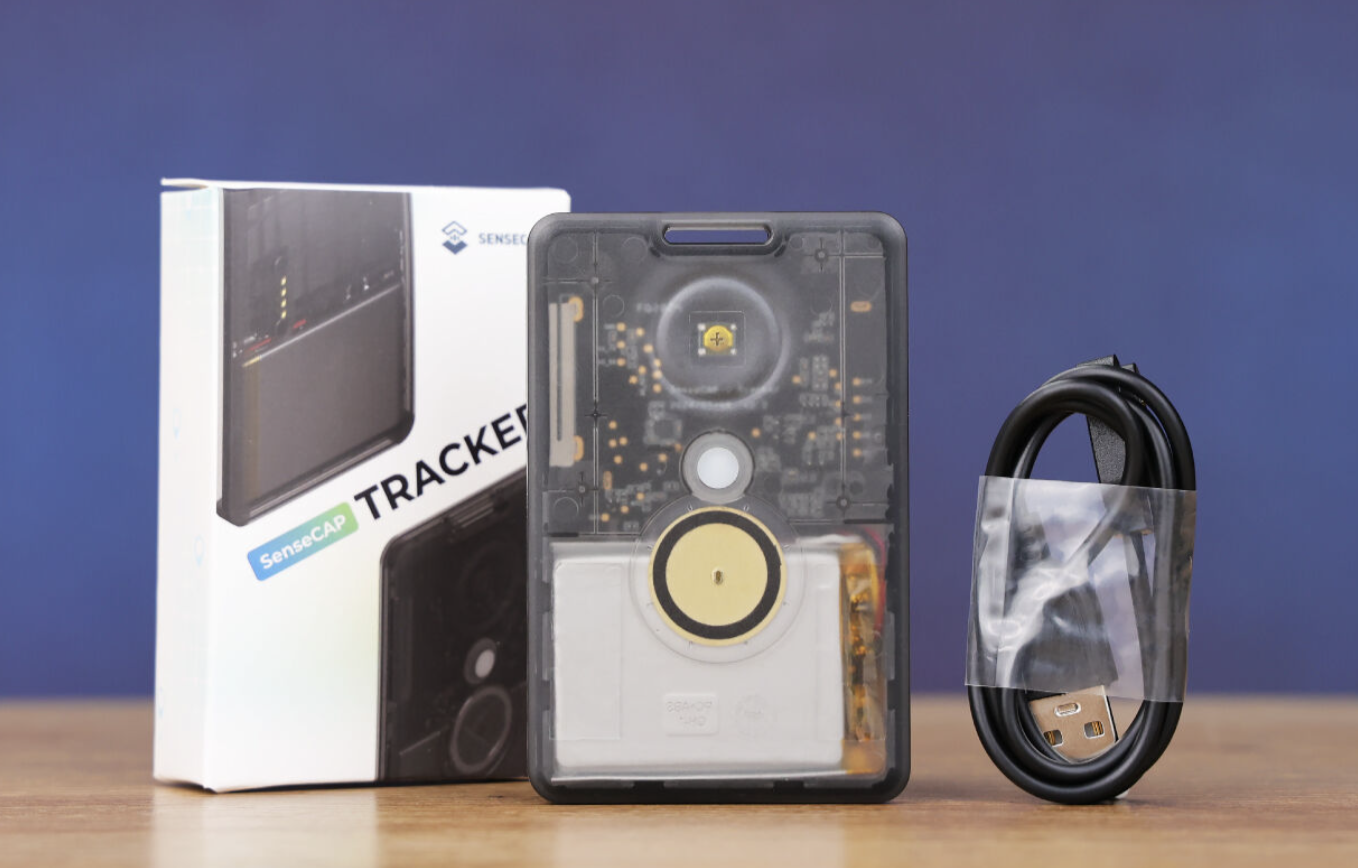
3. ESP32 vs. nRF52: The Big Difference in Battery Life
The main microcontroller chip determines how many hours or days you can run without charging:
┌─────────────────────────────────────────────────────────────────┐
│              BATTERY RUNTIME (With a Single 3000 mAh Cell)      │
├───────────────────────────────┬─────────────────────────────────┤
│ ESP32-S3 Models               │ Nordic nRF52 Models             │
├───────────────────────────────┼─────────────────────────────────┤
│ • Draws: 60 to 120 mA continuous│ • Draws: 5 to 15 mA in standby│
│ • Runtime: 18 to 30 HOURS     │ • Runtime: 7 to 15 DAYS         │
│ • Built-in Wi-Fi + Bluetooth  │ • Bluetooth Only                │
│ • Best plugged in at home     │ • Best for backpacks & solar    │
└───────────────────────────────┴─────────────────────────────────┘
- Choose ESP32 (Heltec V3, T-Deck, T-Beam): If you plan to bridge the radio to your home Wi-Fi or keep it permanently plugged into USB power.
- Choose nRF52 (RAK WisBlock, T-Echo, Heltec T114, SenseCAP): If you want a radio you can carry on a multi-day hike without thinking about a charger, or if you’re installing a solar repeater.
4. Battery Types: What to Buy & Safety Tips
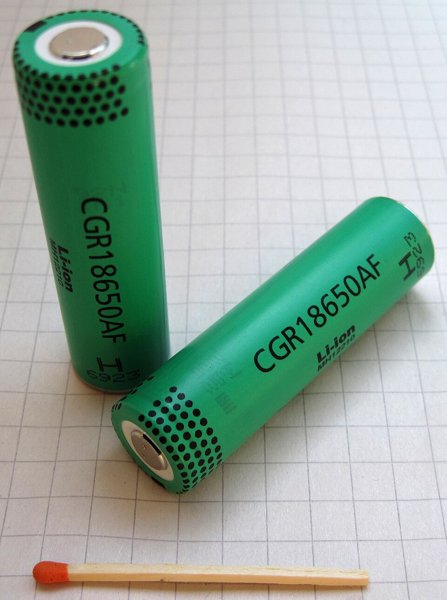
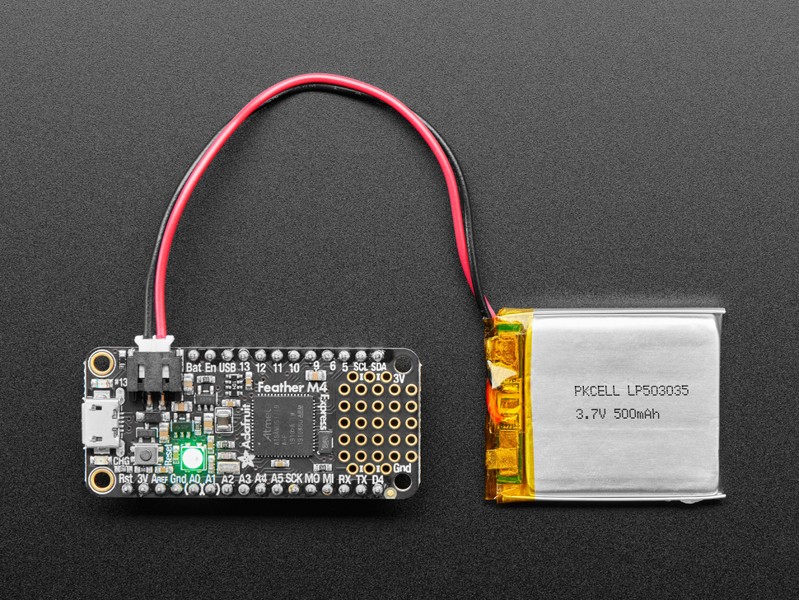
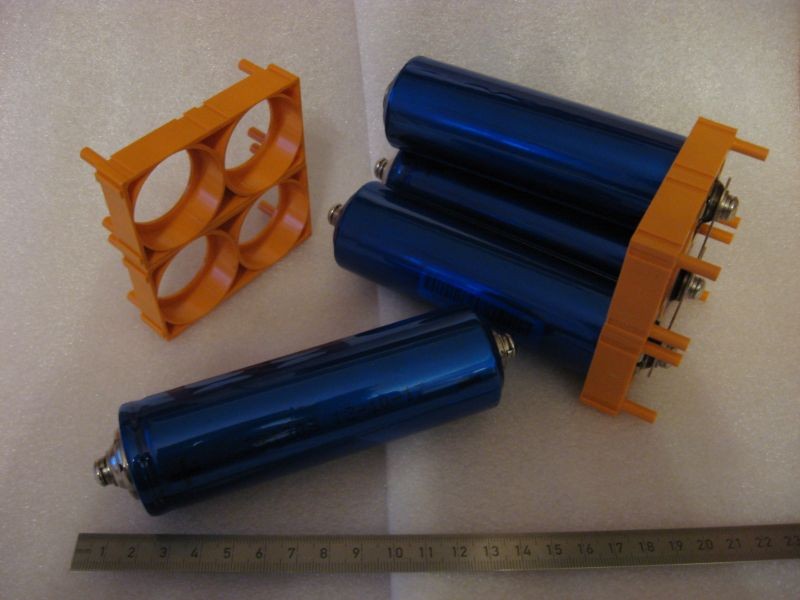
[!WARNING] Battery Polarity Reminder:
Never force a battery connector. Always check that the red wire leads to positive (BAT+) and the black wire leads to negative (BAT-). If they are reversed, you can gently lift the plastic tab on the plug with a needle and swap the pins.
5. Antennas: The Real Key to Range
In radiofrequency, a good antenna in a high location accounts for 90% of your performance. Even a high-power radio won’t perform well if the antenna is poor or stuck behind concrete walls:
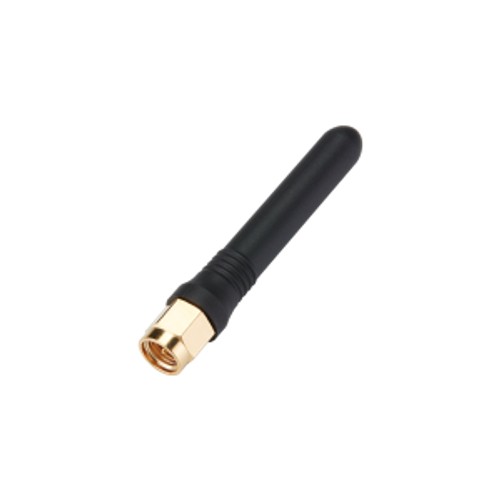
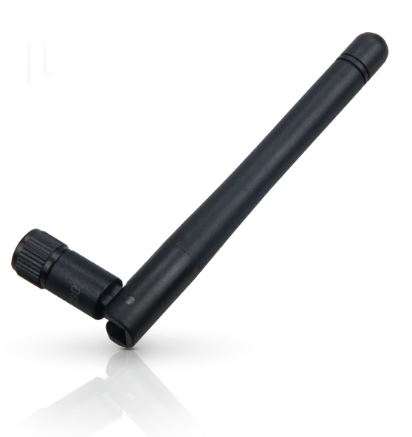

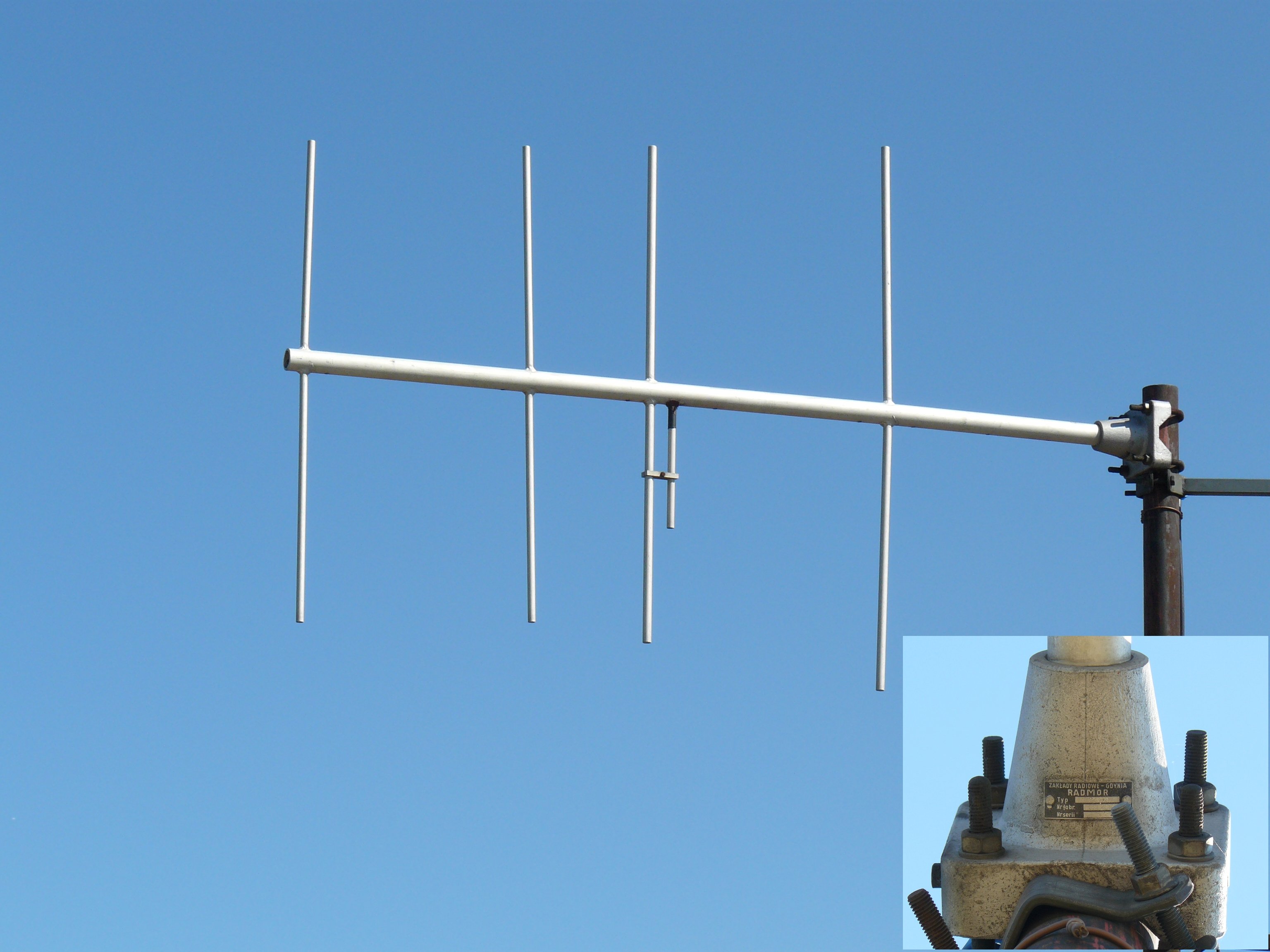
🏢 Elevation: Why High-Rise Nodes Dominate the Mesh
Radio waves at 915 MHz travel via direct line-of-sight. If buildings, terrain, or dense trees block the path, the signal fades quickly:
Signal gets blocked by concrete walls, neighbouring houses, and trees.
Clear line-of-sight across the entire city and bay with zero ground clutter.
- The golden rule of radio: Raising your antenna a few floors higher will give you vastly more range than buying an expensive RF amplifier.
- The High-Rise effect in Panama: A standard 100 mW radio placed on the 20th floor of an apartment tower in Panama City can easily reach nodes in La Chorrera, Taboga, or across the Gulf, serving as a regional powerhouse for the whole community.
⚠️ Beware of Long Coax Cables (Eliminate Signal Loss)
At 915 MHz, thin coaxial cable burns up signal rapidly:
- Standard thin cable (RG-58): Running 4 meters of thin cable from your room to the roof wastes more than 50% of your radio’s transmit power as heat inside the cable.
- CIPRO’s recommendation: Instead of running long coax runs down to your room, place the radio and battery inside an IP67 weatherproof box mounted directly onto the antenna mast. That way the signal goes straight to the antenna with zero waste.
6. Power Limits & Panama Regulations (Unlicensed Users)
You do not need an amateur radio license to use Meshtastic in Panama. The National Public Services Authority (ASEP) and the National Frequency Allocation Plan (PNAF) authorize public use of this band under clear rules:
┌─────────────────────────────────────────────────────────────────┐
│        ASEP / PNAF REGULATIONS: 915 MHz BAND (UNLICENSED)       │
├─────────────────────────────────────────────────────────────────┤
│ • Frequency Range: 902.000 MHz to 928.000 MHz (ISM Region 2)   │
│ • License Required: NONE (Unlicensed for the general public)   │
│ • Maximum Transmitter Output: 1.0 Watt (1000 mW / +30 dBm)     │
│ • Maximum Radiated Power (EIRP): 4.0 Watts (+36 dBm)           │
│ • Standard Channel in Panama: US915 (Slot 20 / LongFast)       │
└─────────────────────────────────────────────────────────────────┘
- Standard Hardware (Heltec, RAK, LilyGO): Emit between 100 mW and 160 mW (+20 to +22 dBm). They operate far below the 1.0 W limit, allowing you to connect 5.8 to 8 dBi outdoor antennas with complete peace of mind.
- 1-Watt Booster Amplifiers: Only needed for long mountain-to-mountain links. They draw significant battery power, run warm, and require moderate-gain antennas to stay under the 4 W EIRP ceiling.
7. SAW Filters: Clean Signals in Noisy Cities
Urban areas have hundreds of 4G/5G cellular towers broadcasting with high power near 915 MHz. Rooftop nodes can sometimes suffer from receiver desensitization (“de-sensing”).
- What does a SAW filter do? It acts like acoustic sunglasses, only letting 915 MHz pass through while rejecting out-of-band cellular noise.
- Radios with factory SAW filters: LilyGO T-Echo, Seeed SenseCAP T1000-E, and Station G2 come with built-in SAW filters.
- Basic boards (Heltec V3): Lack front-end filters to keep prices low, performing best at ground level or in residential areas away from commercial cellular arrays.
8. Enclosures: 3D Printed vs. Outdoor Sealed Boxes
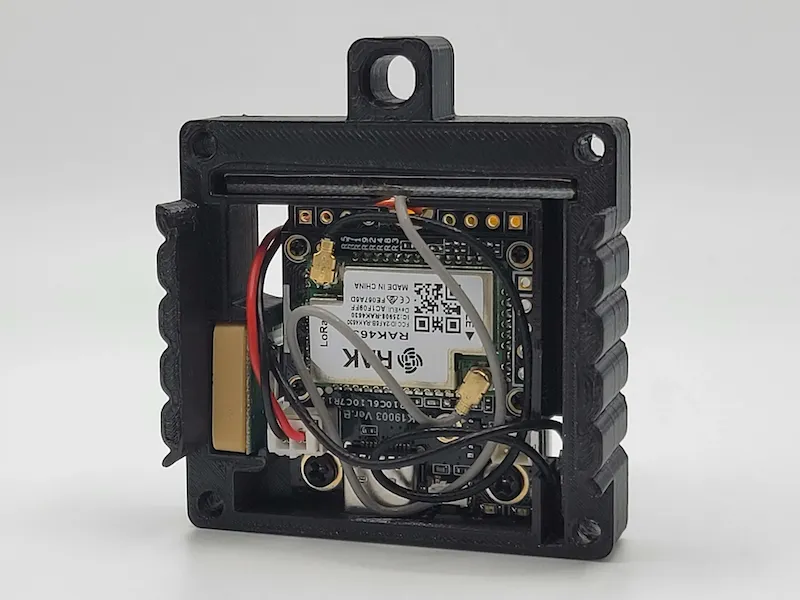
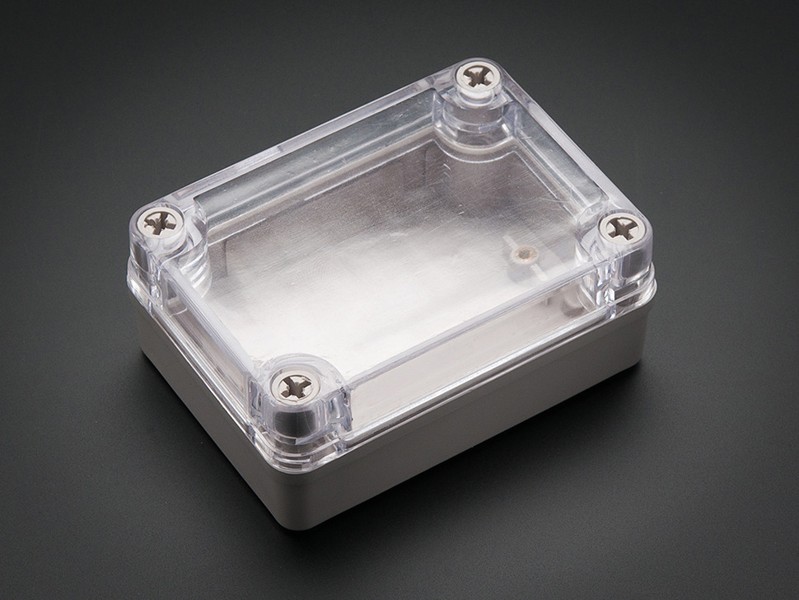
9. Decision Matrix: Which One Should I Buy?
| Your Main Need | Recommended Model | Why? |
|---|---|---|
| Get started on a tight budget | Heltec V3 | Cheapest option, built-in display, and massive community help. |
| Rooftop solar repeater | RAK WisBlock Kit | Draws almost zero power and plugs directly into a small solar panel. |
| Hiking, outdoor & everyday carry | LilyGO T-Echo or SenseCAP T1000-E | Week-long battery life, onboard GPS, and durable weatherproof build. |
| Texting without using a phone | LilyGO T-Deck Plus | Full physical keyboard and color screen to type standalone. |
| Fixed home gateway to the internet | Heltec V3 over USB | Uses built-in Wi-Fi to link your radio to CIPRO’s live map and servers. |
[!TIP] CIPRO Panama Advice: Always buy radios tuned for 915 MHz (US915), set your channel to
LongFast, and you’re all set to join Panama’s community emergency communications network!👉 Already have your radio? Learn how to configure its operating role:
Check our guide: Meshtastic Node Roles Configuration (Client, Router, Repeater, Tracker) to maximize battery life and reach without clogging the mesh.